Visual showcase and interface gallery
High-resolution interface captures across Web, Mobile, and Terminal surfaces for exocomp.
exocomp provides three dedicated operator surfaces:
- The Web UI: High-density single-operator instrument panel.
- The Mobile Companion: One-thumb triage and approval surface.
- The Terminal UI (TUI): Fast, keyboard-driven SSH/console interface.
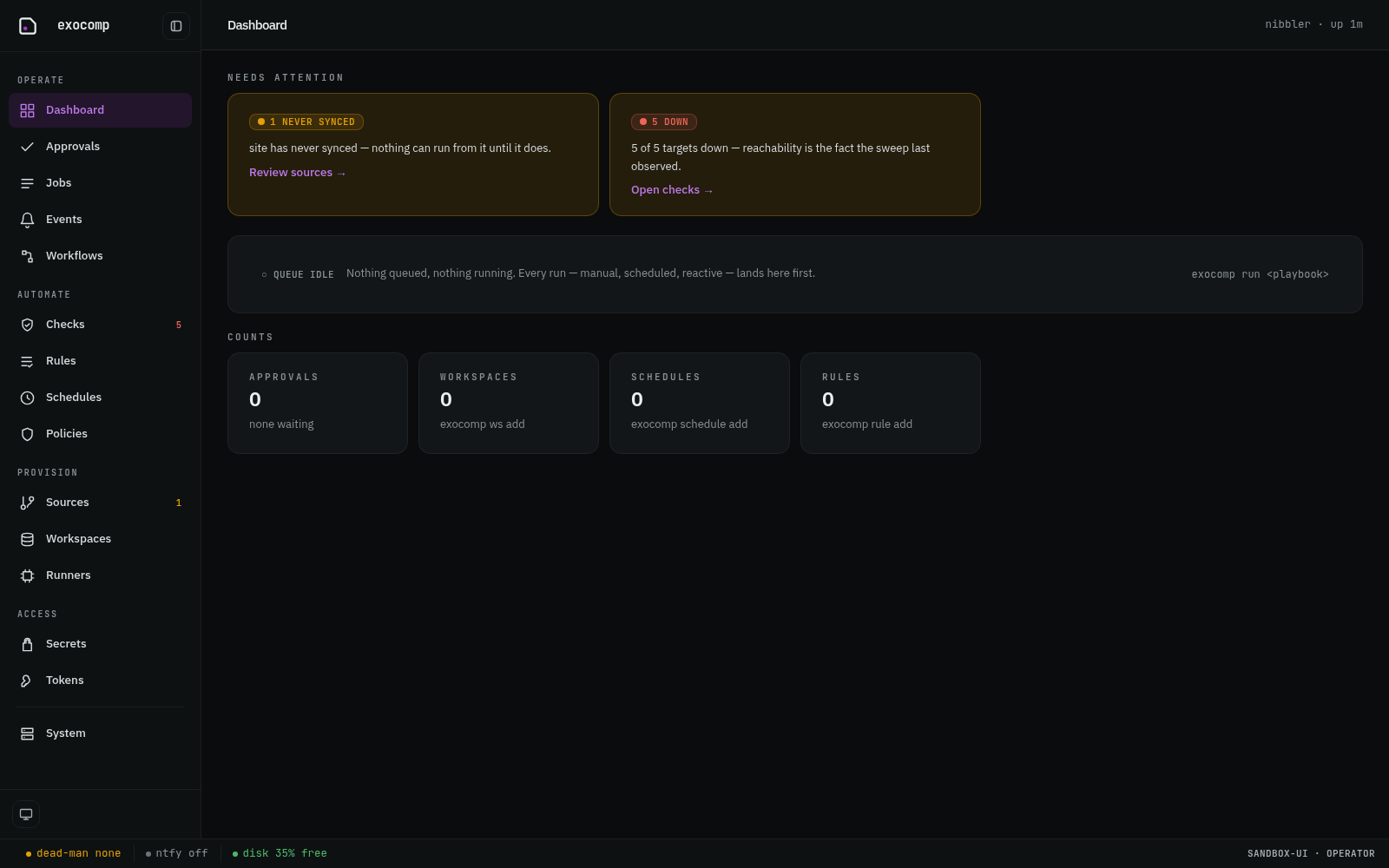
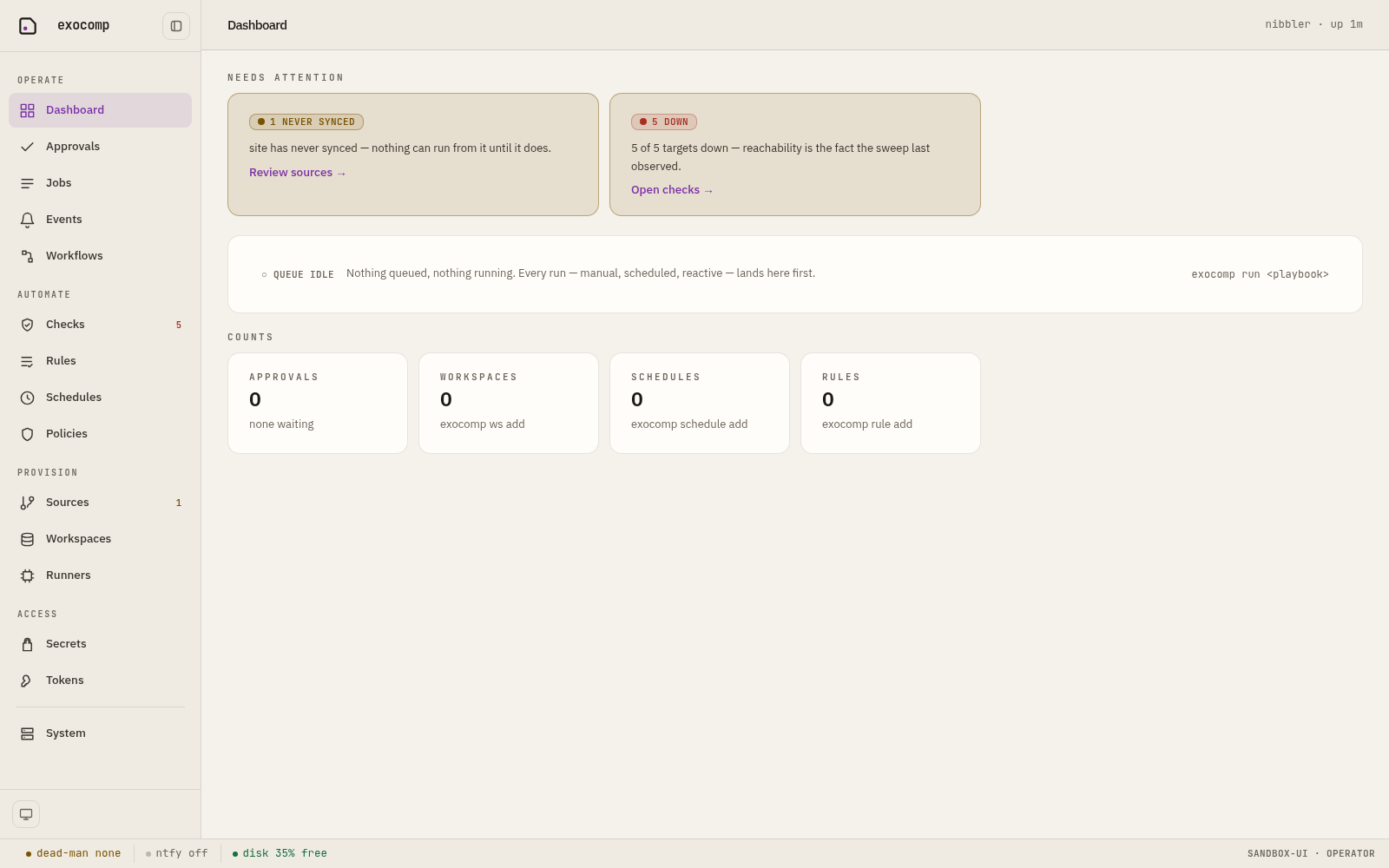
1. Web dashboard in both themes
Dark is the native theme; Light is a warm, low-chroma remap inspired by a physical lab notebook.
Native Dark Theme
Warm Light Theme
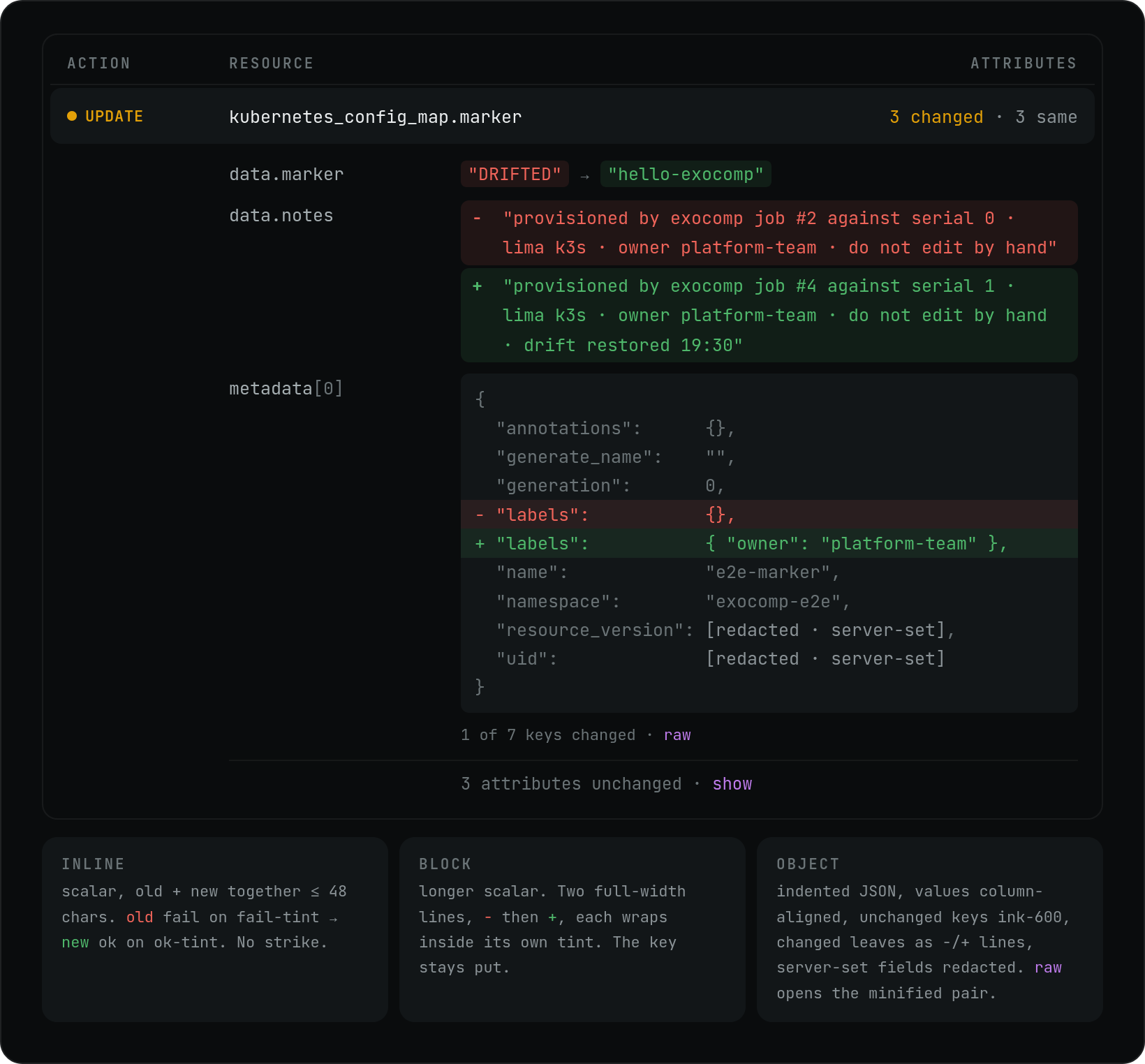
2. Infrastructure & OpenTofu diffs
The OpenTofu plan diff viewer adheres to strict visual hierarchy:
- High contrast values with embedded
+/-indicators. - Non-server-set top-level key counts.
- Redacted secrets rendered in place.
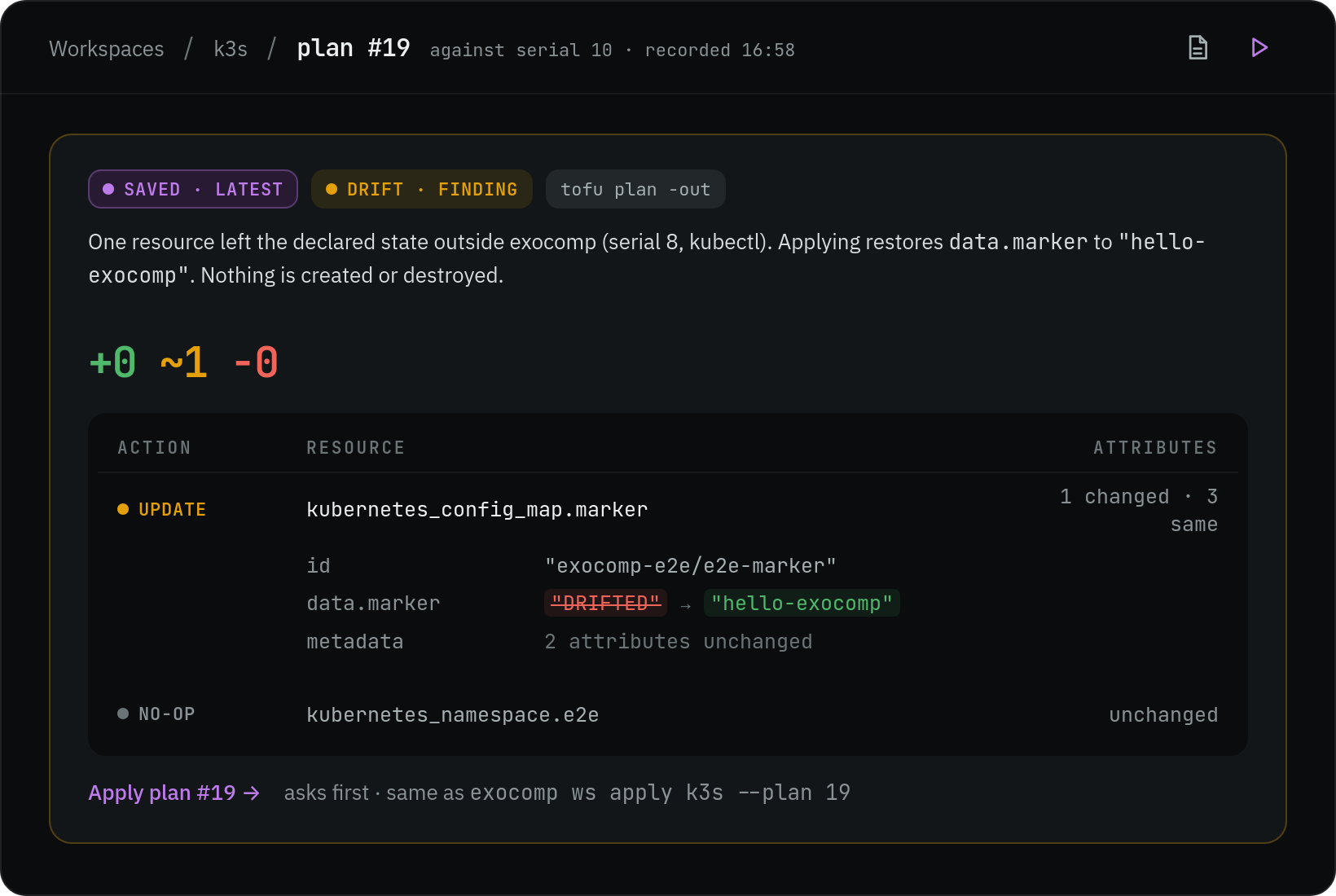
Value shapes and multi-line structures
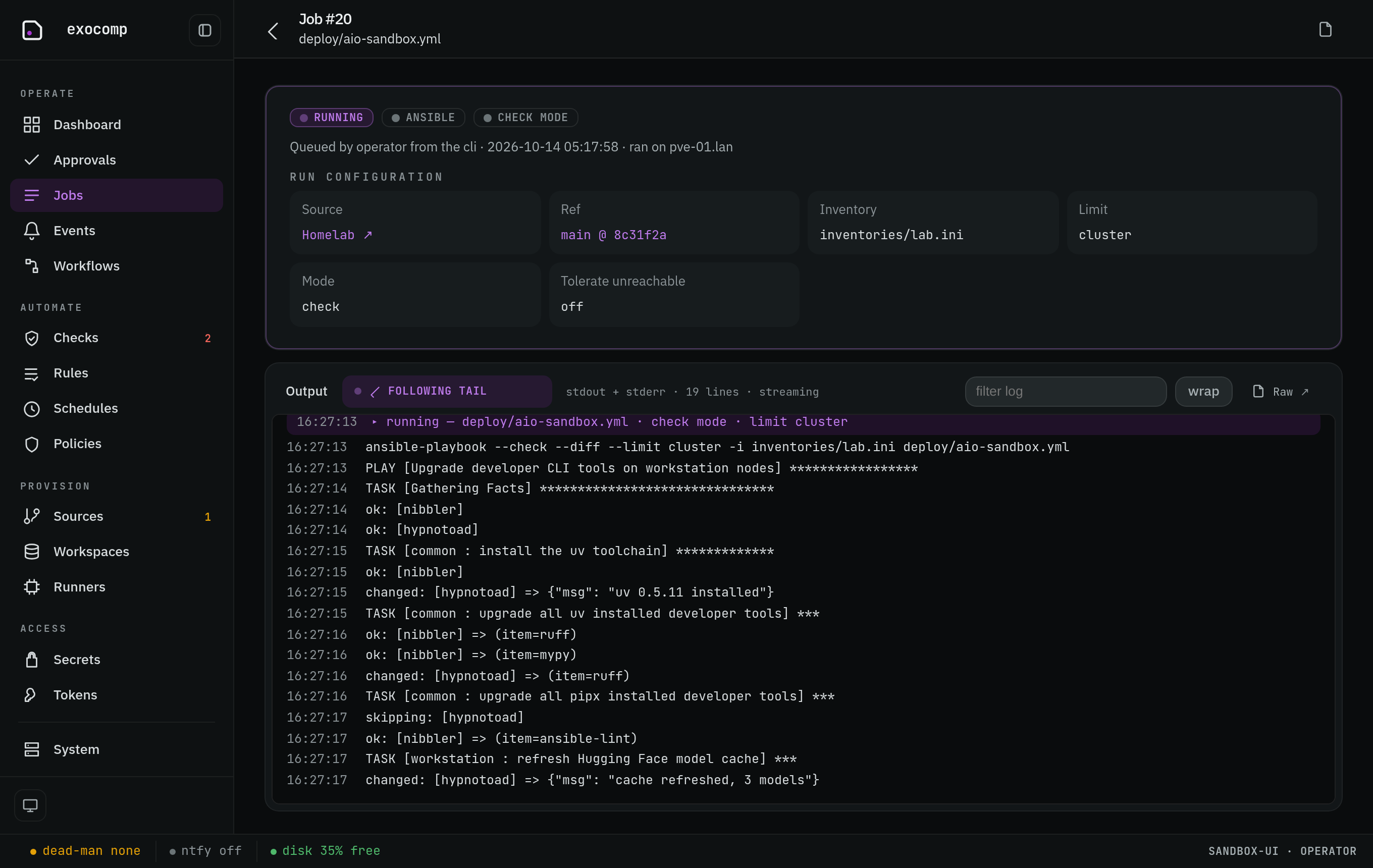
3. Real-time job logs and queue execution
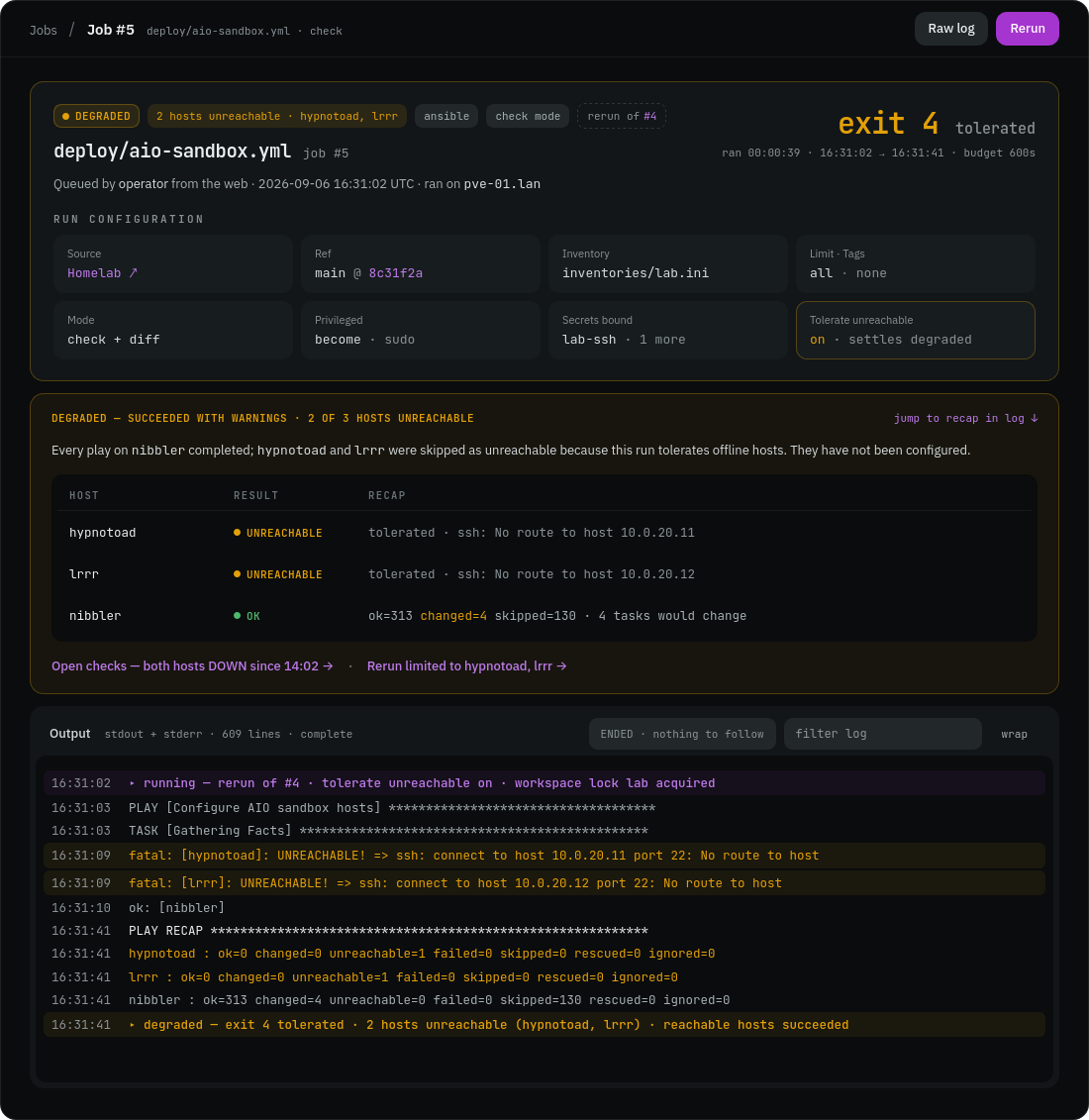
Every execution displays start time, queue latency, sandbox status, and live output stream.
Live log tailing
Degraded job state (unreachable roaming hosts tolerated)
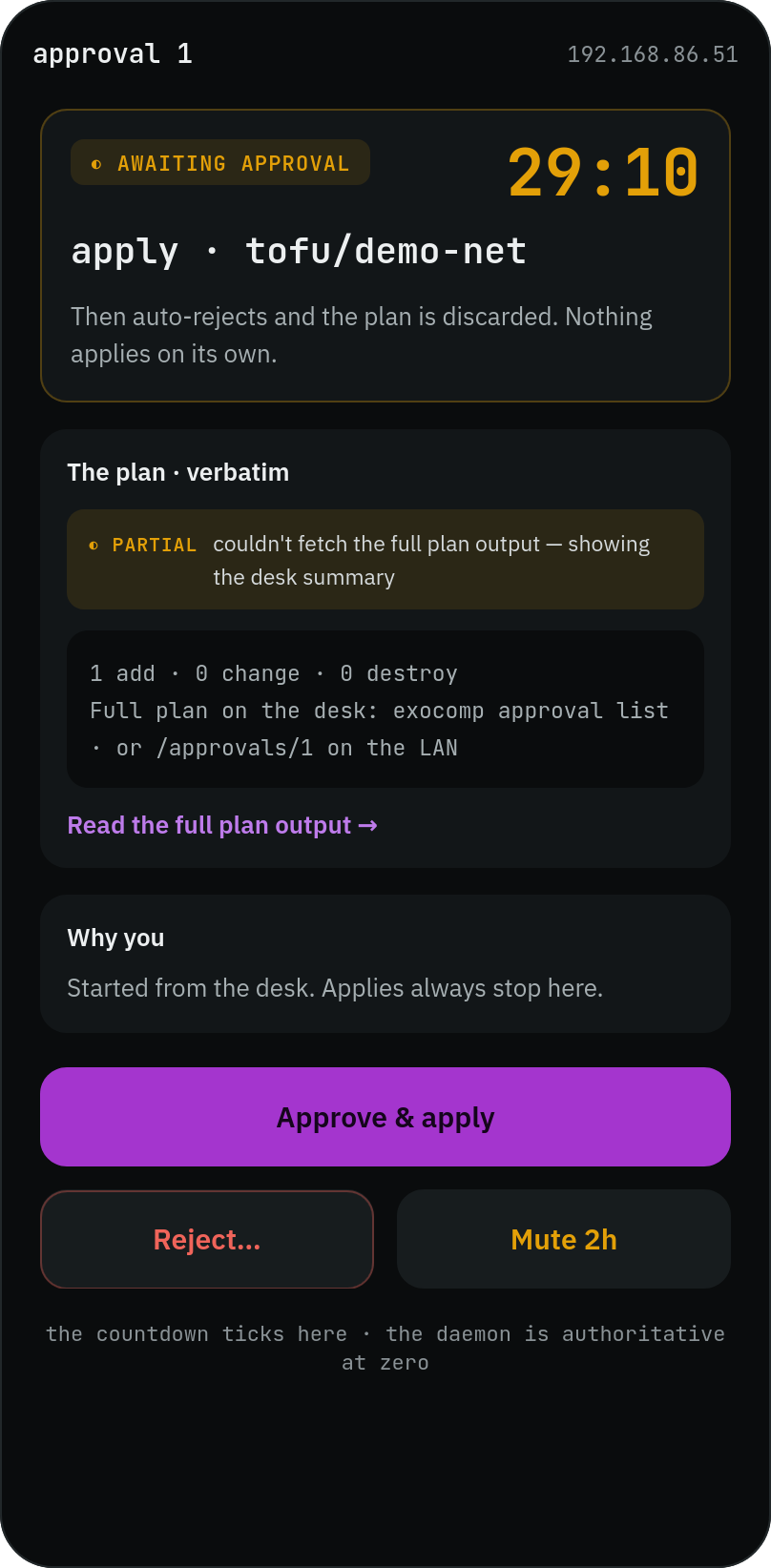
4. Mobile companion and approvals
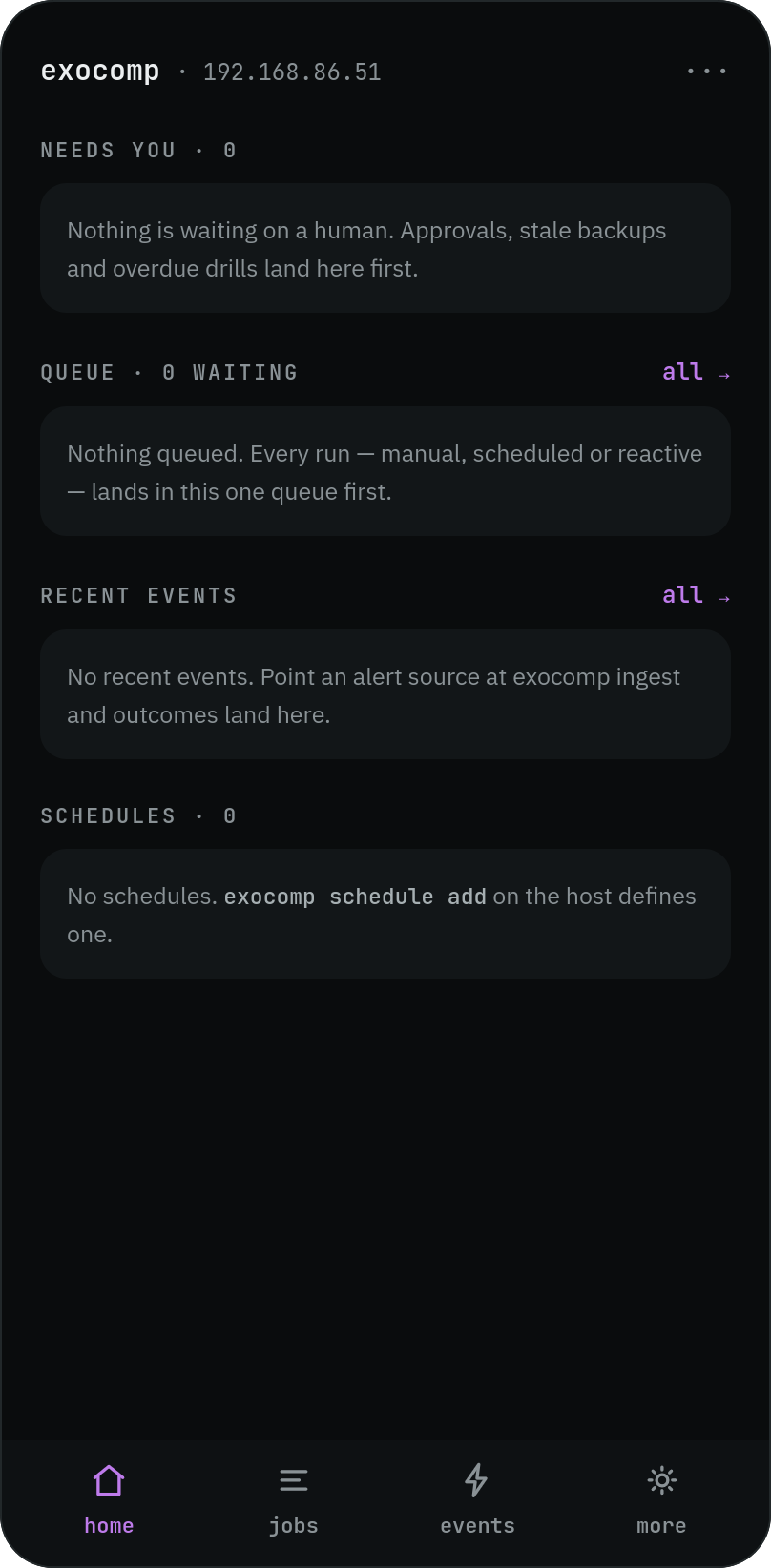
Tailored for responsive viewing and rapid decision-making on phone screens.
Quiet status overview & pending approvals
| Quiet Home Screen | Approval Drawer |
|---|---|
 |
 |
5. Reachability and secrets interfaces
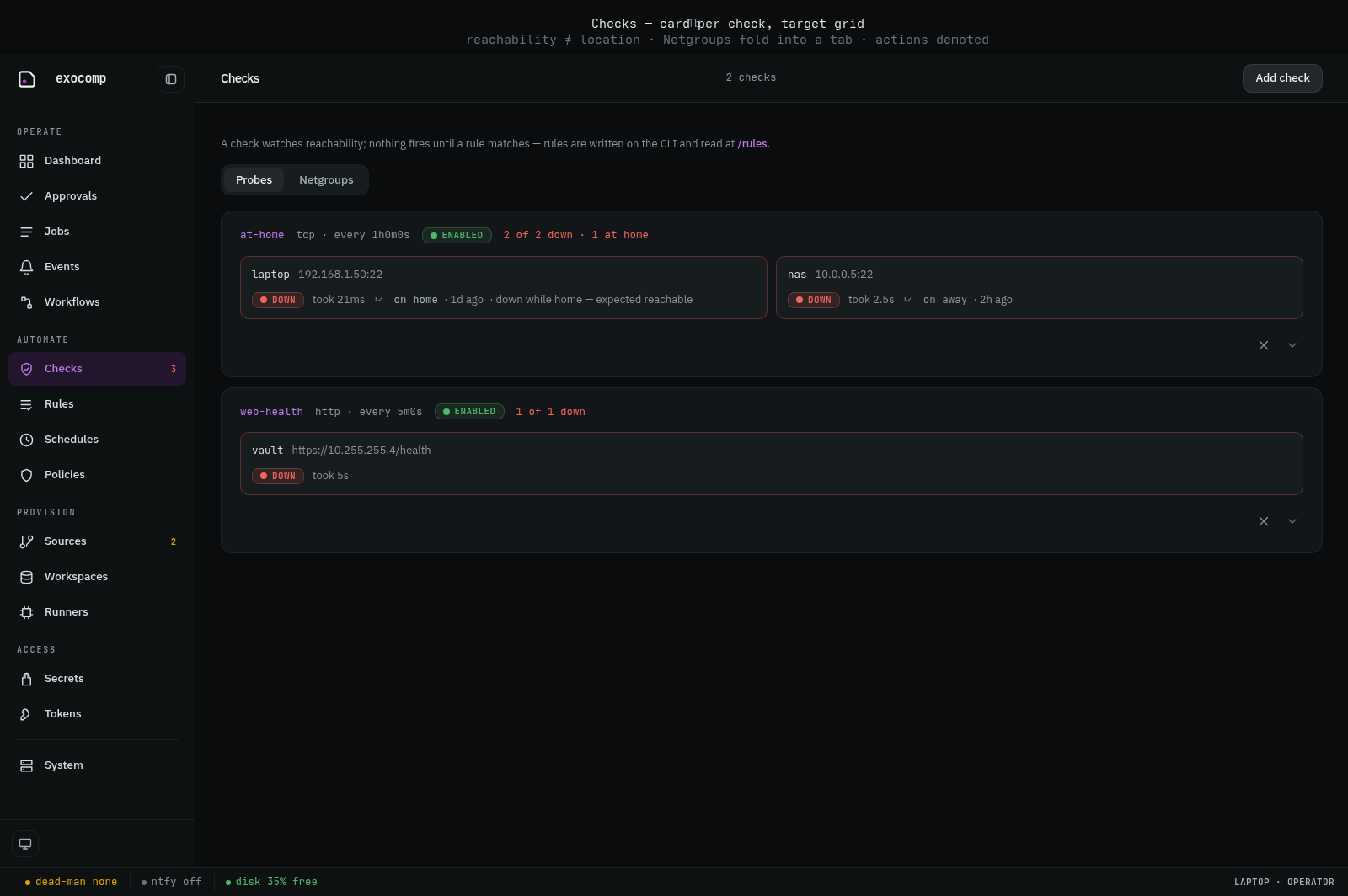
Checks, probes, and netgroups
State is strictly color plus word (UP, DOWN, UNOBSERVED).
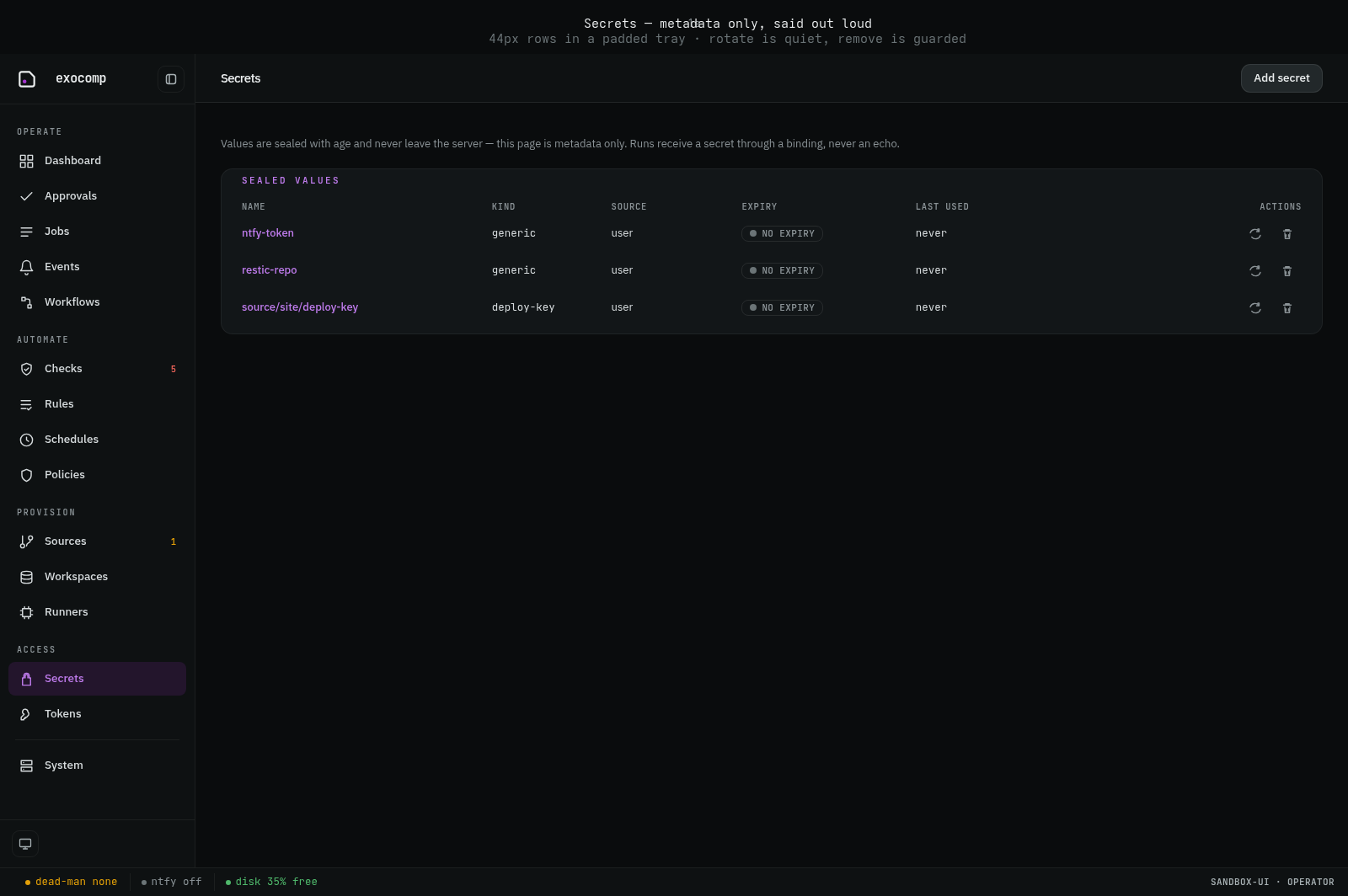
Secrets envelope metadata
Values never appear in the DOM, logs, or network payloads.
6. Terminal UI (TUI)
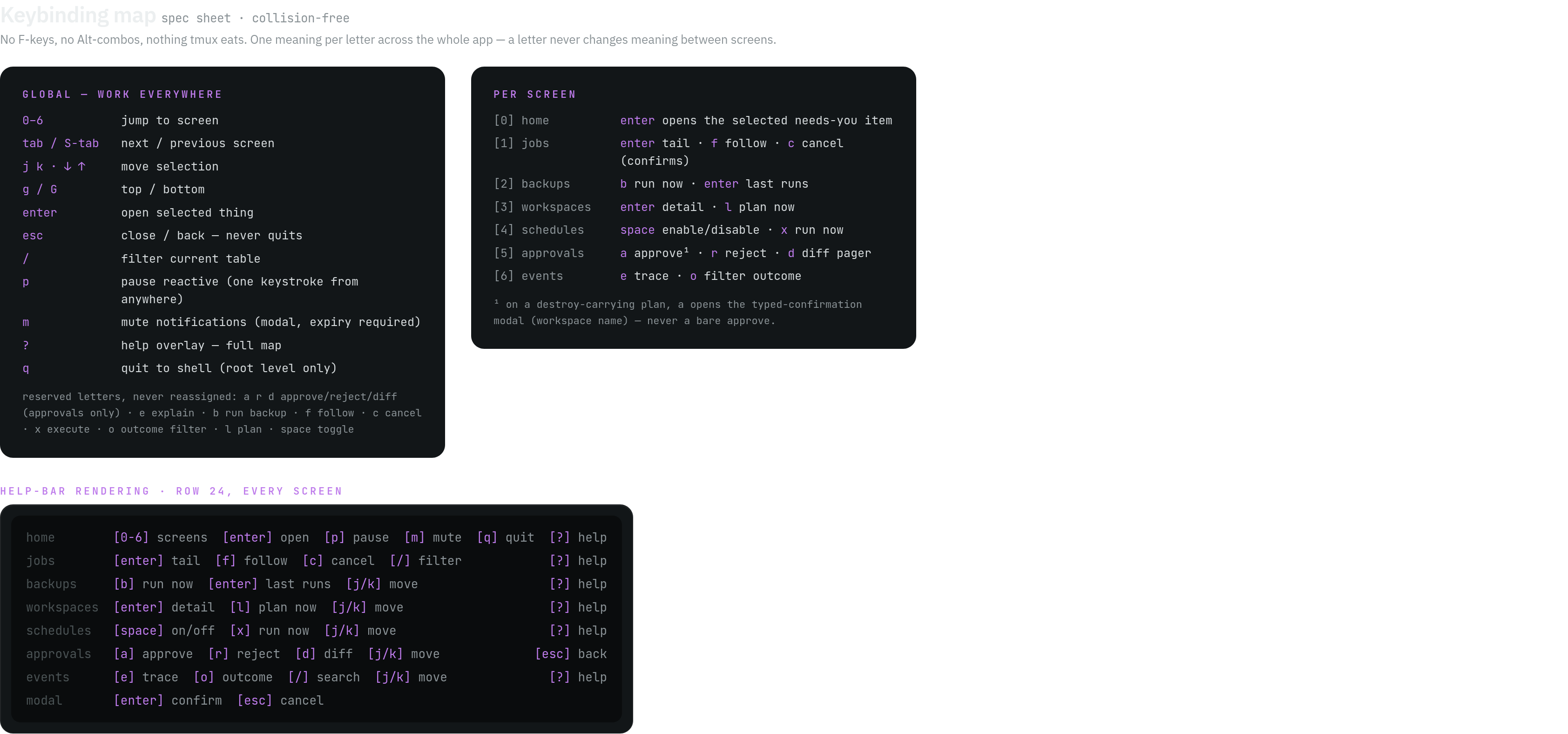
The 80x24 terminal interface provides an identical operational contract to the Web UI.
Keymaps and navigation
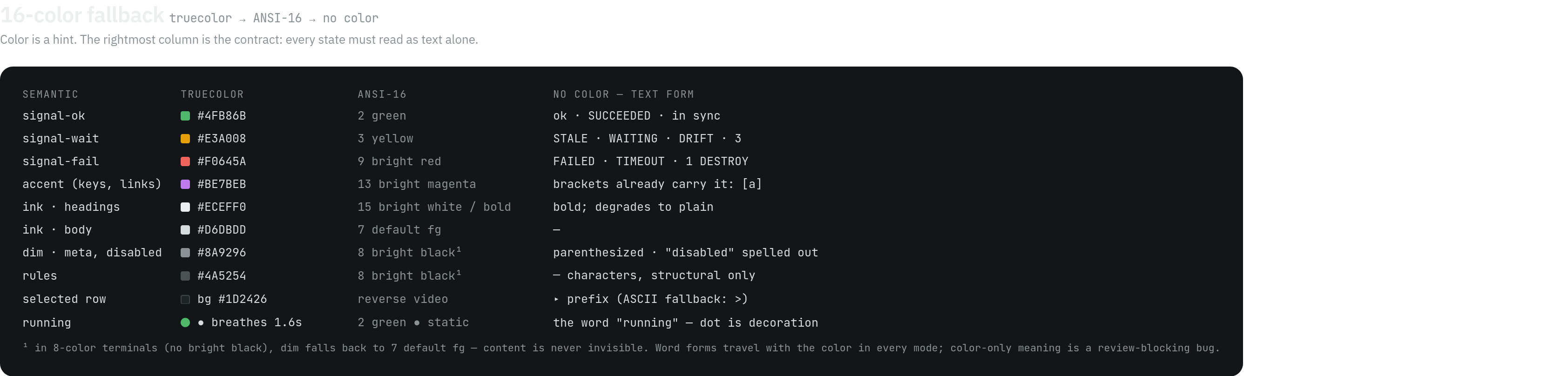
Palette and status banners