Ansible automation
Executing playbooks, ad-hoc commands, config-drift detection, and handling unreachable nodes.
exocomp runs Ansible playbooks and ad-hoc commands through its one audited job queue, sandboxed under the nono driver. Exit codes alone decide execution success; stdout/stderr streams enrich the UI.
Executing playbooks
Trigger a playbook execution via the CLI:
exocomp playbook run playbooks/site.yml \
  --source homelab \
  --diff
Common flags:
--limit <pattern>: Target specific hosts or groups.--tags <tag1,tag2>/--skip-tags <tag3>: Filter tasks.-e <key=value>: Pass extra variables. Arguments are passed securely offargvto avoid leaking variable values in process tables.--require-approval: Require an explicit operator decision before execution starts.
Control plane egress (--privileged)
Under the default enforcing sandbox tier, jobs have no network egress beyond local LAN and configured endpoints.
For control plane playbooks that manage cloud or SaaS APIs (such as NextDNS, Tailscale Tailnet, or UniFi controllers), pass the --privileged flag to permit external egress:
exocomp playbook run playbooks/tailscale.yml \
  --source homelab \
  --diff \
  --privileged
--privileged is a per-run opt-out of the kernel sandbox, not a default: it is operator-only, off by
default, and audited. The product shows it wherever a run is read — the job detail's run card wears an
unsandboxed chip, the jobs list names it beside the source, the run's log opens with an attributed
"run requested UNSANDBOXED" band, and exocomp doctor reports how many recent runs ran unsandboxed.
When only a remote host needs the elevation (or the egress), prefer reaching that host over SSH so the
work happens on the far side and the daemon's sandbox stays on; reserve --privileged for work that
must run unsandboxed on the controller itself.
Live job streaming and execution logs
When a job runs, the Web UI streams logs and execution progress in real time:
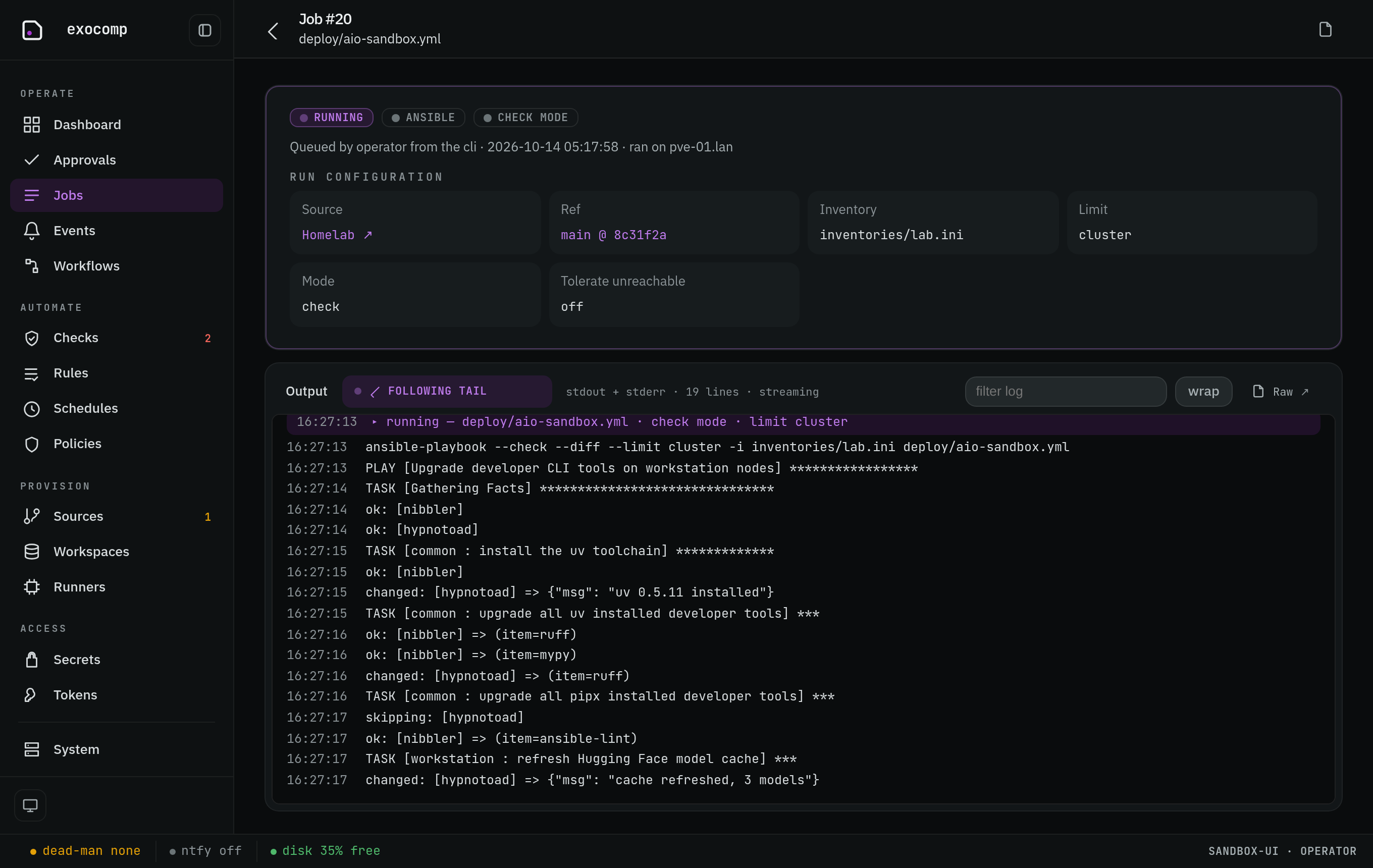
Jobs display structured timing, execution parameters, and output logs. Completed jobs retain their full output logs in SQLite storage for post-mortem analysis.
Config drift detection
Running a playbook in check mode acts as a drift-detection probe:
exocomp playbook run playbooks/site.yml \
  --source homelab \
  --check
- If tasks report
changed, exocomp marks the job outcome asdriftand emits an internal drift event. - You can schedule periodic drift scans:
exocomp schedule add daily-drift \ --cron "0 0 4 * * *" \ --kind play \ --check \ --target tf:homelab \ -- playbooks/site.yml - In the Web UI, schedules can also be triggered on demand using the Run now action on
/schedules.
Ad-hoc commands and unreachable hosts
Run one-off commands across nodes under the same sandboxing and governance as full playbooks:
exocomp command run "uptime" --limit servers --source homelab
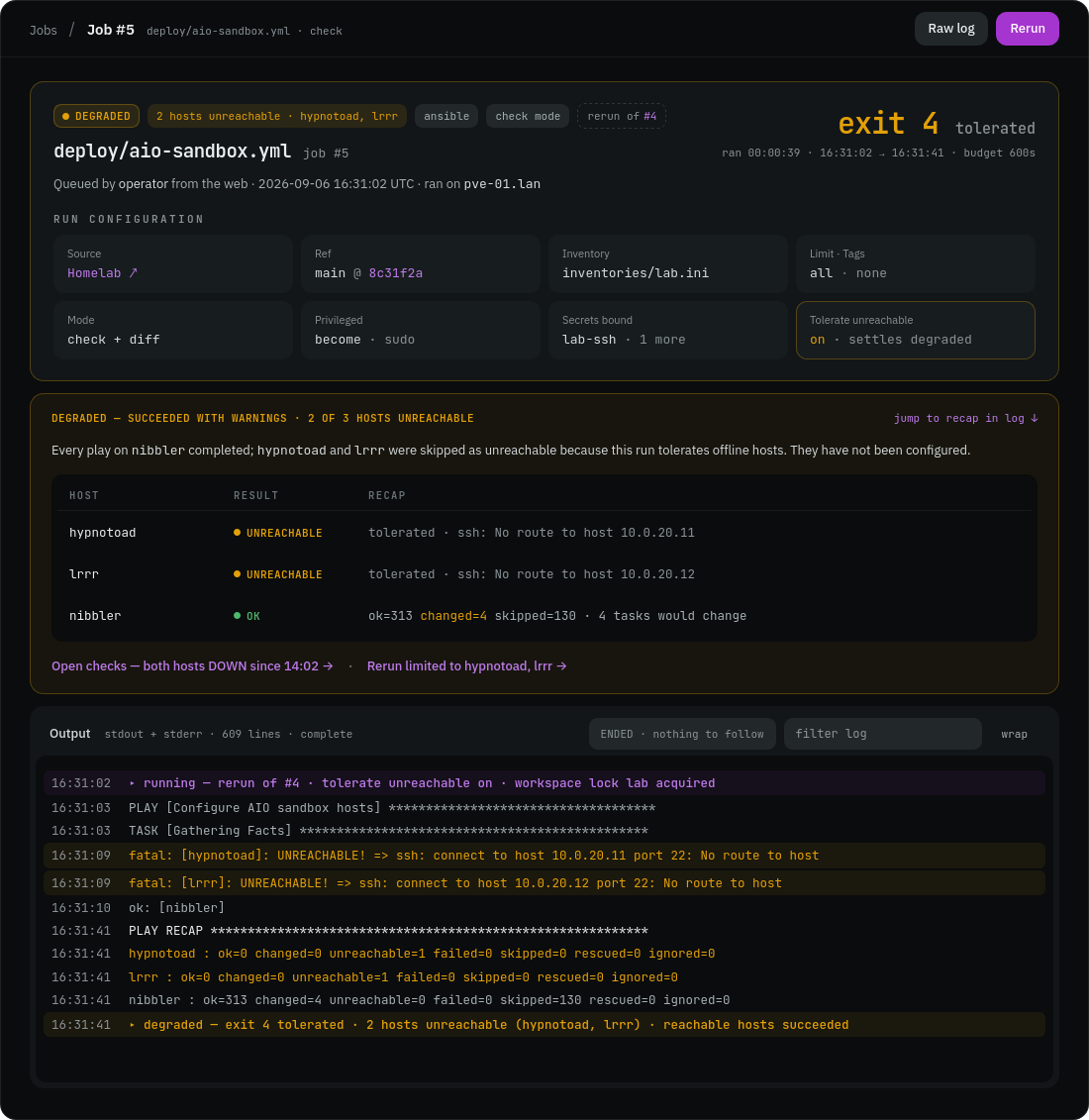
For roaming laptops or homelab nodes that may be temporarily powered off, pass --tolerate-unreachable:
exocomp playbook run playbooks/workstations.yml \
  --source homelab \
  --tolerate-unreachable
If hosts are unreachable, the job completes with a degraded state instead of raising a critical failure notification: