
Mobile companion
Pairing a smartphone via QR code, receiving ntfy push notifications, and one-thumb approval decisions.
The mobile companion is currently in active development and not yet generally available. This guide documents the target architecture, pairing protocol, and security model.
exocomp includes a mobile-optimized triage and approval surface designed for quick, out-of-band operational decisions on a phone.
It is governed by strict safety invariants:
- Enqueue-never-execute: The mobile interface can submit jobs and approvals to the queue, but never executes commands directly.
- Zero secrets stored: Devices store only scoped bearer tokens; cryptographic keys and secret values are never accessible on mobile.
- Fail-closed: Any network loss or authentication mismatch refuses actions rather than falling back to an unverified state.
Pairing via QR code
To pair your mobile device:
- Generate a pairing token and QR code on the host:
exocomp token new phone-primary --scope approve - Or open the pairing page in the Web UI: Navigate to System → Pairing to display the dynamic QR code on screen.
- Scan the code using your phone's camera. The pairing payload configures:
- Daemon endpoint URL (LAN or Tailnet).
- Scoped bearer authentication token.
- TLS certificate fingerprint pinning (TOFU).
Mobile interface and push notifications
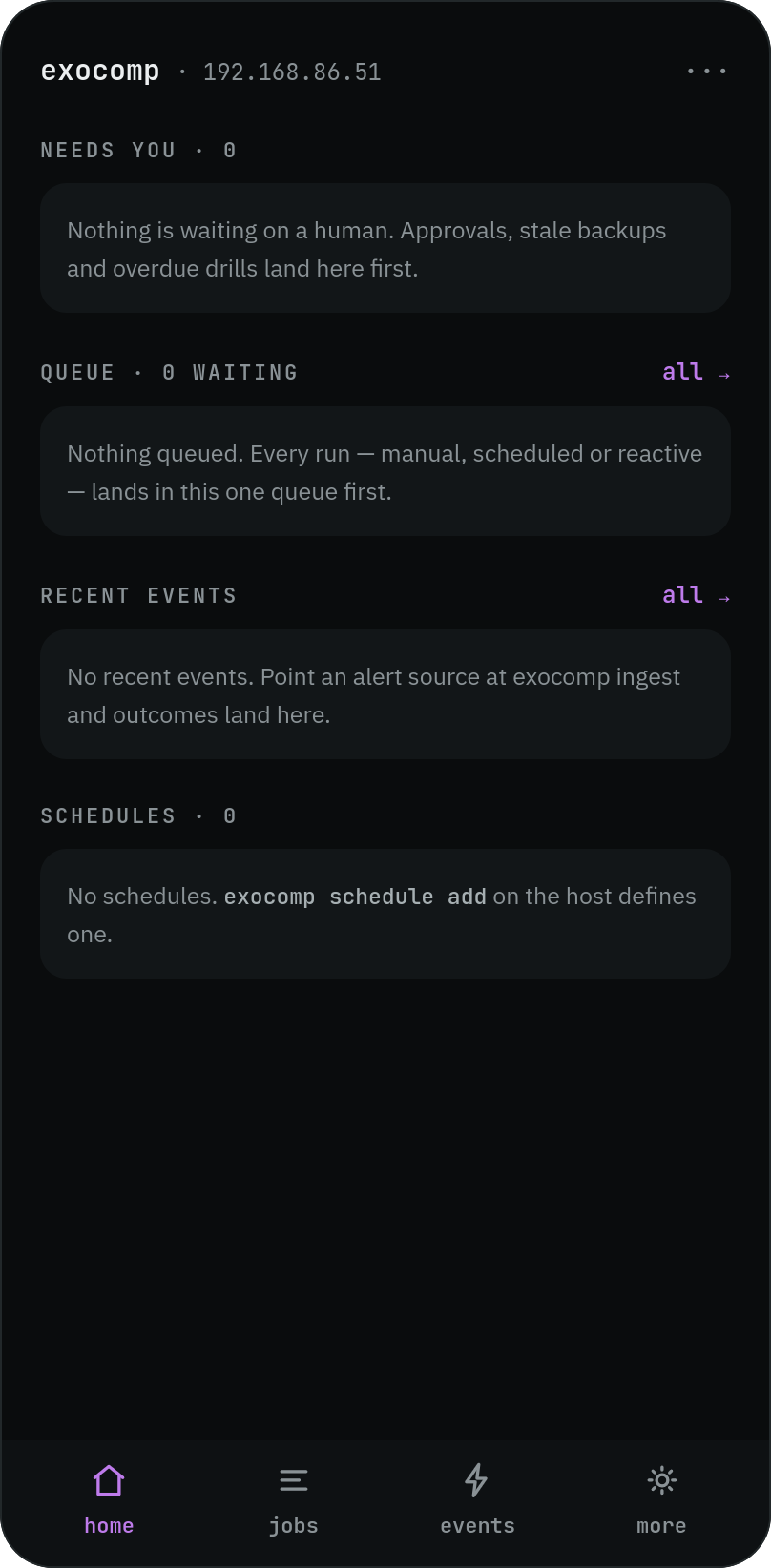
When exocomp operates quietly, the mobile home view presents a calm, zero-overhead status summary:
When an event triggers an approval gate (such as an OpenTofu apply or sensitive playbook run), you receive a push notification via ntfy.
Tapping the notification opens the dedicated approval drawer:
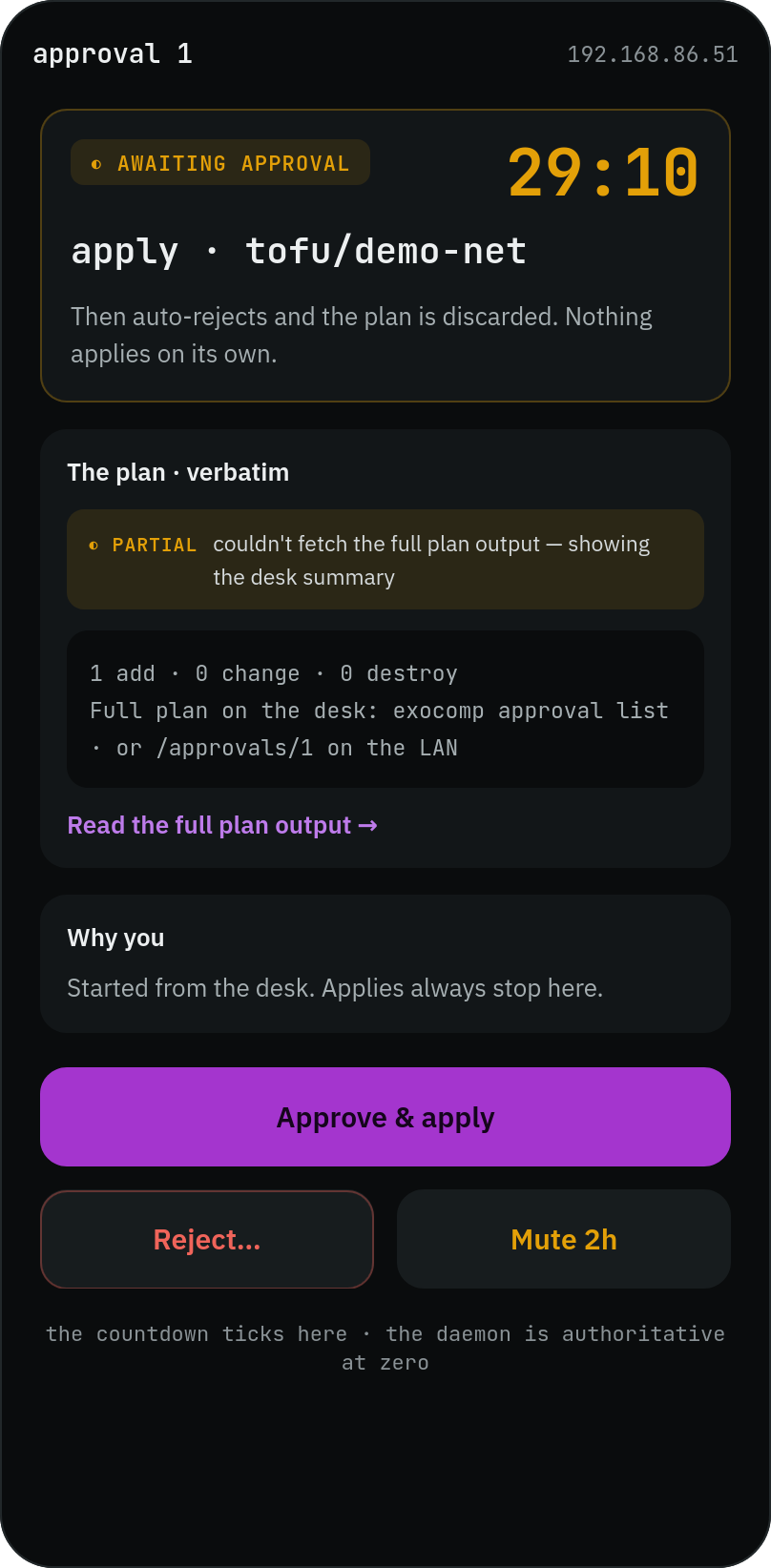
The approval view provides high-density context tailored for one-thumb decisions in under ten seconds:
- High-contrast monospace plan diffs.
- Target inventory and resource count changes.
- Dual-action controls (Approve vs Reject) with confirmation guards.