
Secrets and fleet keys
The age envelope model, SOPS integration, run-secret bindings, and zero-leakage security invariants.
exocomp protects all credentials under a cryptographic envelope governed by Invariant 4: Secrets never appear in logs, job events, docs, commits, or test fixtures.
Values never render in web templates, TUI screens, JSON event logs, or error dumps.
The age secrets envelope
At initialization, exocomp creates a root Data Encryption Key (DEK) wrapped by age identity keys (Decision 0003):
- At rest: The DEK is encrypted inside
keyring.ageon the data volume. - In memory: The decrypted DEK is held in RAM and locked using
mlockto prevent paging to swap. - Subkey derivation: Operational passwords (such as Restic repository passwords, database encryption keys, and HMAC signatures) are derived deterministically using HKDF with domain-specific context strings.
Managing secrets
Inspect secrets in the CLI:
exocomp secrets list
NAME              KIND       CREATED              CHANGED
cloudflare_token  bearer     2026-10-01 10:15:00  2026-10-10 14:20:00
nas_backup_pass   password   2026-09-15 08:00:00  never
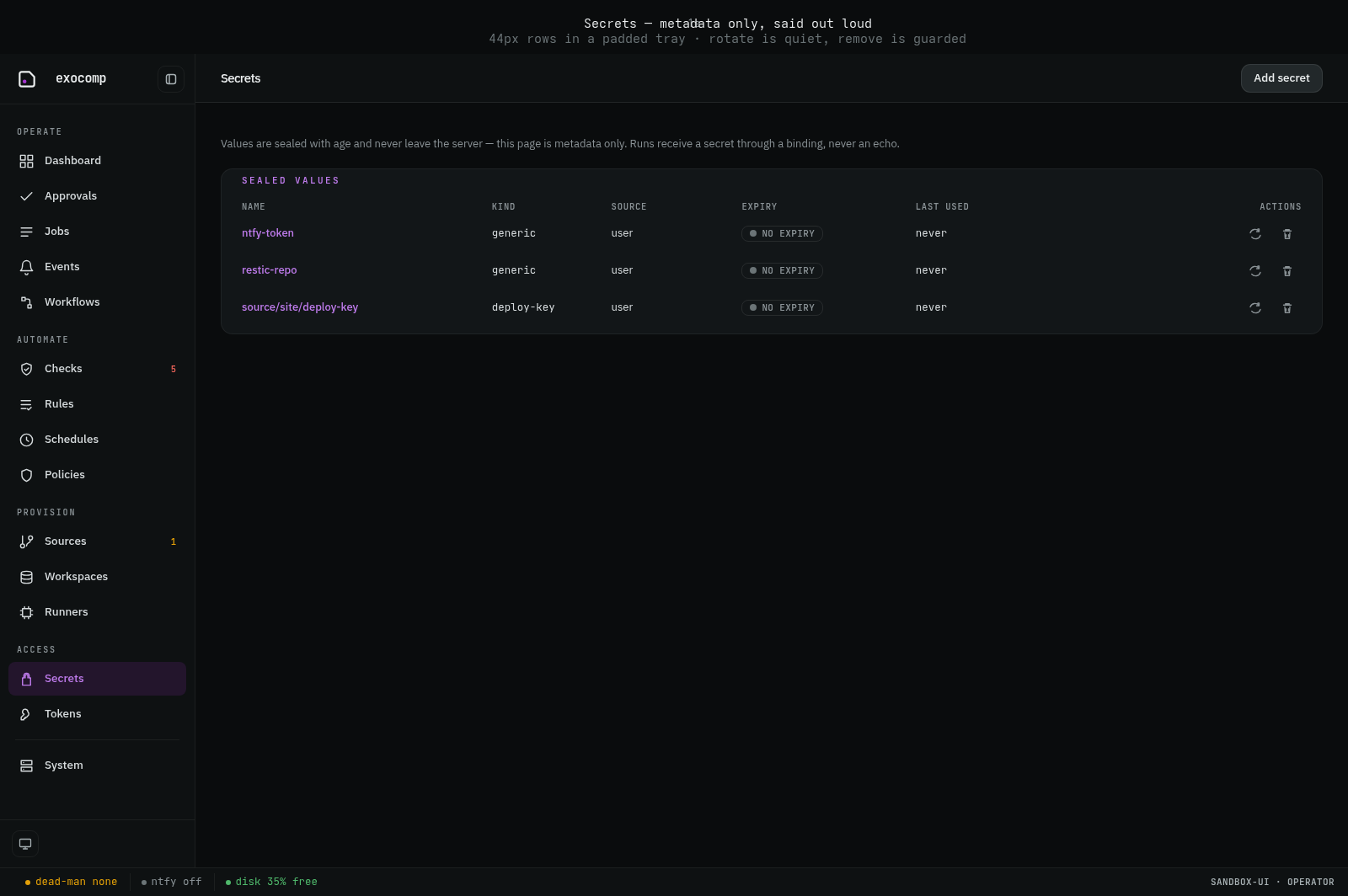
In the Web UI, secrets are displayed as metadata-only cards with explicit change and removal controls:
To add or update a secret:
# Seal a secret value from stdin:
echo -n "super-secret" | exocomp secrets add cloudflare_token

# Or mint a random secret:
exocomp secrets add nas_backup_pass --generate

# Replace an existing secret's sealed copy:
exocomp secrets replace cloudflare_token
Entering secret values reads from stdin or mints via --generate.
exocomp only rotates what it minted. A generated secret has no upstream
holder, so a replace mints a fresh random value — a true rotation. An
operator-supplied secret (a bearer token, a deploy key, an upstream database
password) is only replaced: exocomp swaps the sealed copy, but the old
credential stays live where it was issued, and revoking it there is your job.
The rotate verb remains an alias of replace.
Binding run-secrets to jobs
To pass a secret into an Ansible playbook or command safely, bind it into a run-secret set:
exocomp run-secret add cert-env CF_TOKEN=cloudflare_token
Then attach the binding to your run:
exocomp playbook run playbooks/cert.yml \
  --source homelab \
  --run-secrets cert-env
During execution:
- The executor stages the secret value into a RAM-backed
/dev/shmsession file or injects it directly into the process environment. - The executor's stream redactor scans all subprocess stdout and stderr streams against the active secret values, replacing any matched byte sequences with
[redacted · secret]. - When the process terminates, the staging session is purged and overwritten in RAM immediately.