
Sources and inventory
Registering Git repositories, local directories, managing SSH fleet identities, and auto-onboarding hosts.
All automation in exocomp executes against registered Sources. A source represents a Git repository, local directory, or storage mount containing Ansible playbooks, roles, collections, and OpenTofu configurations.
Registering a source
Register a Git repository with exocomp source add:
exocomp source add homelab \
  --url git@github.com:example/homelab.git \
  --ref main
Or register a local path source:
exocomp source add local-homelab --path /srv/homelab
View configured sources in the CLI or Web UI:
exocomp source list
NAME     KIND  REF    LAST SYNC            TRUST
homelab  git   main   2026-10-11 22:30:00  trusted
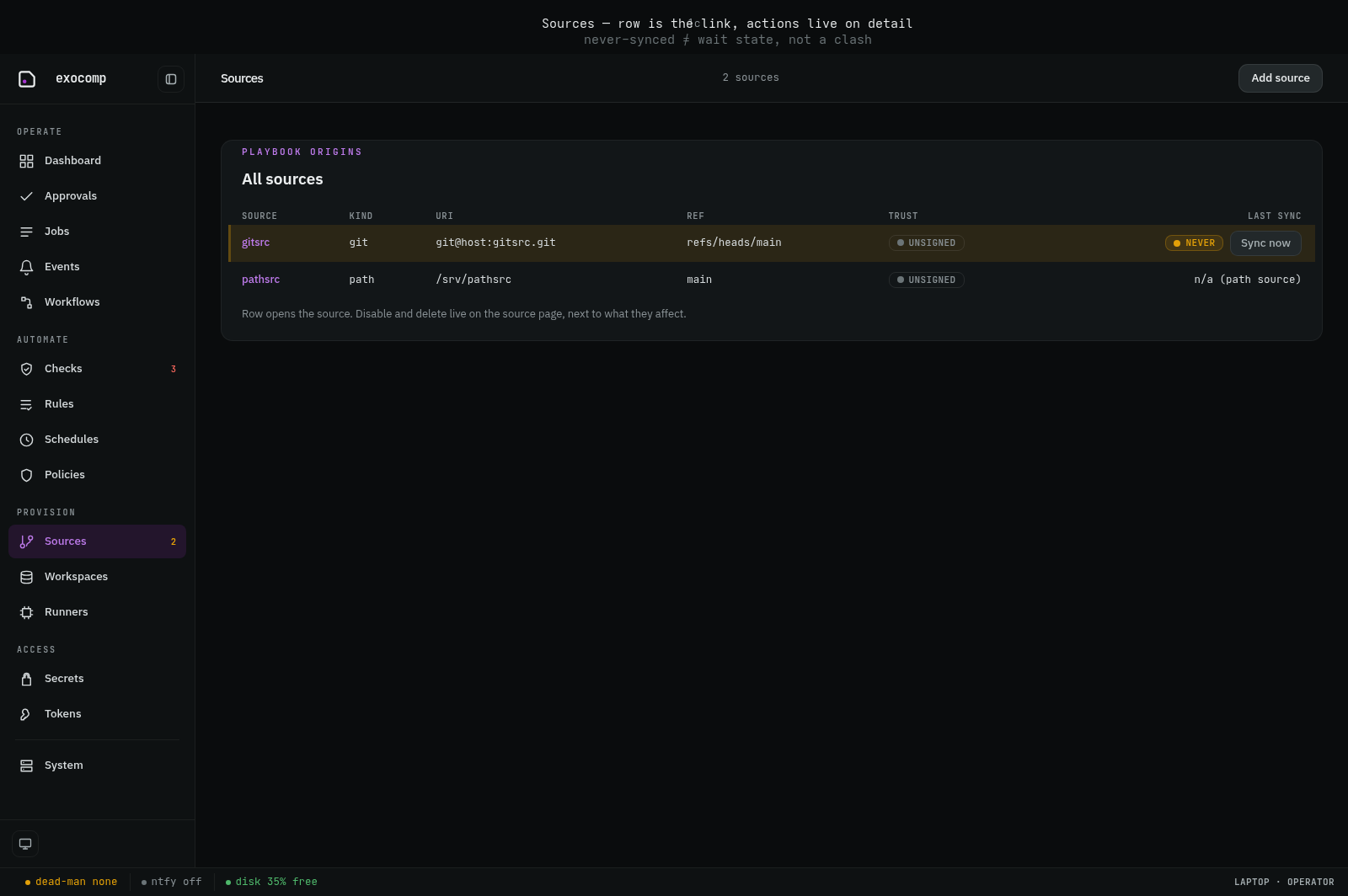
In the Web UI, the sources list shows synchronization health, branch tracking, and active execution cards. Git sources can be synchronized from the CLI with exocomp source sync <name> or via the Sync now button in the Web UI:
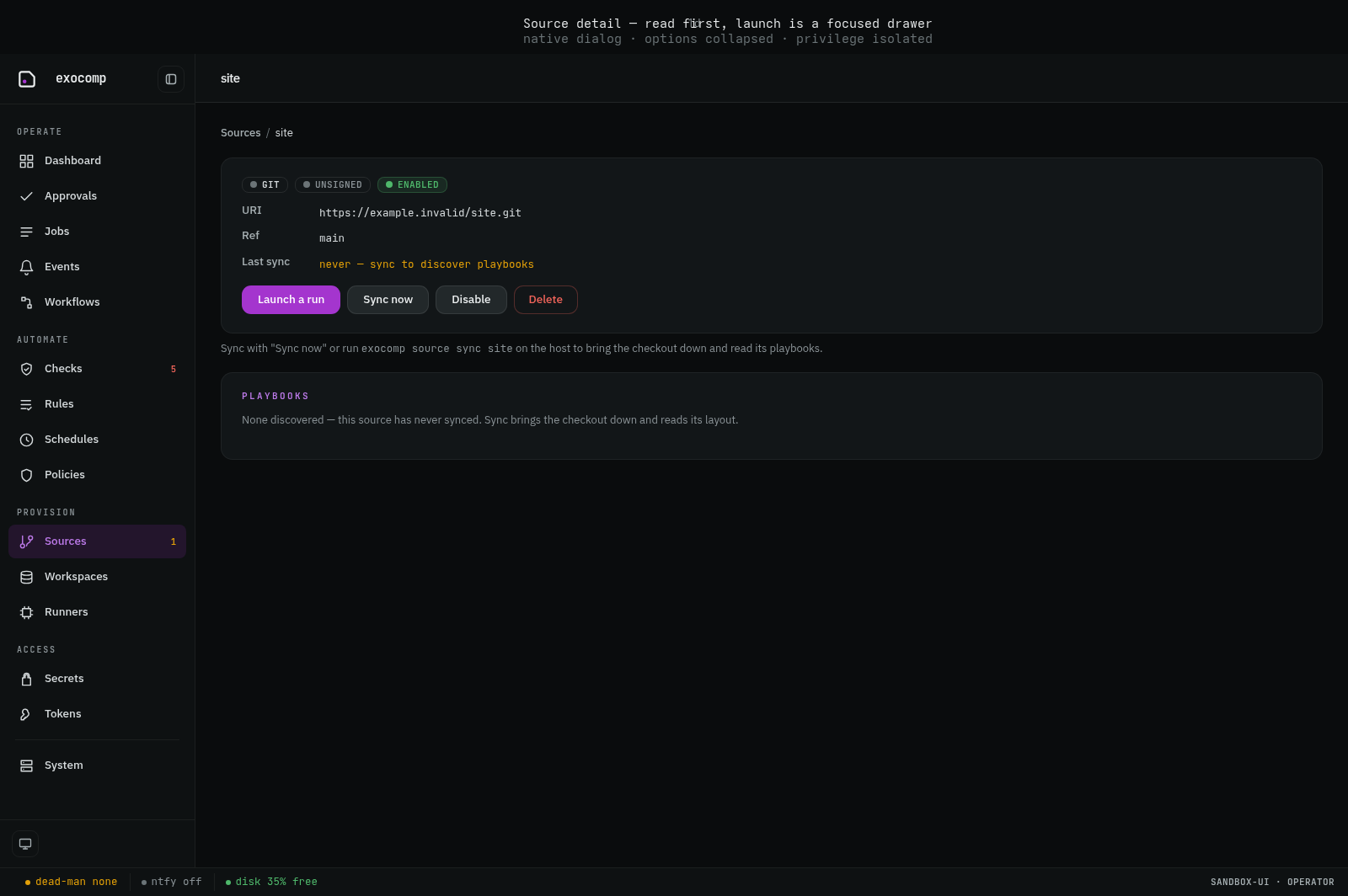
Selecting a source opens its detail view, where you can inspect playbooks, run histories, trigger syncs, and launch new executions:
Dependency management in sources
exocomp enforces strict per-source isolation:
- Python dependencies (
pyproject.tomlorrequirements.txt): If a playbook directory contains a Python dependency manifest, exocomp usesuvto build an isolated virtualenv undercache/python/<source>/<hash>(Decision 0011). If no manifest is present, it executes using the pinned container toolchain. - Ansible collections (
requirements.yml): Per-source collection manifests are resolved viaansible-galaxyintocache/collections/<source>/<hash>(Decision 0015). Under the enforcing sandbox, local collection artifact paths (e.g.type: dirortype: filepointing to sibling directories) are granted read-only permissions automatically so collections install without sandbox permission violations.
SSH fleet keys and host onboarding
To manage target nodes without distributing individual SSH keys, exocomp maintains a single fleet identity key in the age envelope.
-
Onboard target hosts:
exocomp host onboard router.lan server0.lanhost onboardkeyscans each host, records its host key in the backed-upknown_hostsstore, ensures the sealed fleet SSH key exists, and prints the fleet public key to add to the target node's~/.ssh/authorized_keys. -
Inspect recorded host keys:
exocomp host known-hostsexocomp strictly verifies host fingerprints against its trusted
known_hostsstore. Connecting to an unpinned or changed host key is refused.
Using a different key for one source
exocomp's fleet key is deliberately one key for every host. If one source, inventory, or subset of hosts needs its own identity, bring the key yourself and wire it in as an ordinary Ansible credential, with the sandbox grant that lets the run read it:
- Store the private key outside the source checkout; a committed or checked-out controller key widens the repo's trust boundary and never needs to be there.
- Reference it in the source's
group_varsor inventory:ansible_ssh_private_key_file: /run/keys/sources/infra-deploy - Grant that file to the run:
exocomp playbook run site.yml --source infra --ssh-identity /run/keys/sources/infra-deploy - Push its public half to the target nodes with your own playbook — the onboarding runbook authorizes only the fleet public key.
The key declaration is per job and defaults to nothing; --ssh-identity is documented
fully in playbook run flags and
running the daemon. A run cannot read ~/.ssh or any
directory, only the exact named file(s).
Note that in v1 the recorded known_hosts is not yet enforced by a run and the
fleet (or any other) key is not yet loaded into a per-job ssh-agent (v1.1). Until
then Ansible's own connection settings apply. See
Managed-host SSH in operations/sources.md.